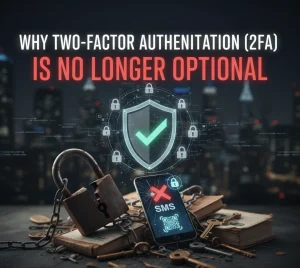
Cybersecurity experts estimate that over 80% of data breaches are still caused by poor passwords or phishing scams that trick users into giving them up. The consequences are dire, often resulting in losses of personal funds, identity theft, and crippling business downtime.
This is where Two-Factor Authentication (2FA) steps in. It is not just an added feature; it is the absolute minimum requirement for digital survival in 2025. It transforms your login from a single-key lock into a vault requiring two distinct keys.
I. How 2FA Works: The Three Factors of Authentication
To understand 2FA, we look at the three primary categories of authentication:
- Something You Know (Knowledge Factor): This is the classic password, PIN, or security question.
- Something You Have (Possession Factor): This is the second factor, typically a temporary code sent to a device you possess. This includes a mobile phone, a hardware key (like YubiKey), or a virtual device.
- Something You Are (Inherence Factor): This involves biometrics, such as a fingerprint, face scan, or voice recognition.
2FA combines the first factor (password) with a second, distinct factor (usually the phone you possess) to create a highly secure barrier. Even if a hacker steals your password, they are stopped cold without your phone.
II. The Three Critical Methods of 2FA
While any 2FA is better than none, the security level varies significantly between methods:
1. SMS/Virtual Number (The Common Method)
- Mechanism: A temporary code is sent via text message to your registered phone number.
- Security Assessment: This is the weakest form of 2FA. While better than just a password, it is vulnerable to SIM-swapping attacks, where criminals trick your carrier into porting your number to their device, intercepting the code.
- Link to Privacy: Using a virtual/temporary number for non-critical accounts is safer than exposing your main number, mitigating the risk of your real identity being linked to a SIM-swap attempt.
2. Authenticator Apps (The Recommended Method)
- Mechanism: Apps like Google Authenticator or Authy generate time-based, unique codes (TOTP) directly on your device. These codes are created offline and expire quickly (usually 30 seconds).
- Security Assessment: Highly secure. Since the code is generated locally on your device and not sent via network (SMS), it is immune to SIM-swapping and SMS interception.
3. Hardware Security Keys (The Gold Standard)
- Mechanism: A physical USB or NFC device (like FIDO or YubiKey) that you must plug into your computer or tap on your phone to complete the login.
- Security Assessment: The most secure method. It requires the physical presence of the key, making remote hacking virtually impossible. This is the choice of major technology companies for high-value accounts.
III. The Real Cost of Neglecting 2FA
The danger is quantifiable. Major security firms track cases where the lack of 2FA resulted in immense financial loss:
- Financial Theft: Direct access to bank, crypto, or investment accounts after a simple password breach.
- Reputational Damage: Social media or email accounts being hijacked to run scams, impacting your professional or personal reputation.
- The Sunk Cost: The time, money, and legal fees required to recover an identity or hacked account often dwarf the minute it takes to enable 2FA. It is the “$10 Million Mistake” because the total long-term cost of a breach can be catastrophic.
Conclusion: Enable, Upgrade, Secure
In the ongoing war against cybercrime, personal responsibility is the strongest defense. If your online account offers 2FA, enable it immediately.
While SMS is a start, strive to upgrade to an Authenticator App for your most critical accounts (email, banking). Remember: your digital security is only as strong as your weakest link. Make that link a near-unbreakable vault.
