
How eSIM and VoIP Saved My Istanbul Trip: A Traveler’s Guide to Staying Connected Abroad
By Luka – The CometSMS | November 2025
Last summer, I landed in Istanbul after a long flight from New York. Tired, hungry, and ready to explore, I turned on my phone — only to see a warning: “$10/day for roaming.”
I’ve been there before. The old routine:
Not this time.
In under 60 seconds, I scanned a QR code, activated an eSIM, and had 3GB of local data for just $8. Then I opened WhatsApp, called my sister back home — for free — and used Google Maps to find the best kebab spot nearby.
No stress. No overpriced roaming. No lost time.
That single moment changed how I travel forever.
Let me show you exactly what eSIM and VoIP are, why they’re absolute game-changers when visiting another country, and how you can use them on your next trip — even if you’re not tech-savvy.
An eSIM (embedded SIM) is a digital SIM card built into your phone.
No plastic. No tray. No paperclip.
It’s a tiny chip already inside modern smartphones (like iPhone XS and later, Samsung Galaxy S20+, Google Pixel 3+, and most new Androids) that lets you download and activate a mobile plan over the internet.
Here’s how it works in 3 easy steps:
Done. You’re connected — often before you even leave home.
You can store multiple eSIM plans and switch between them with a tap. Keep your home number active for texts and iMessage, while using a local or regional data plan for everything else.
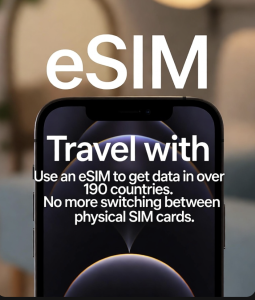
Traditional roaming can cost $10–$15 per day. A 10-day trip? That’s $100–$150 just to stay online.
With eSIM:
I used a Turkey + Greece eSIM for $8 with 3GB — enough for maps, translations, rides, and photos for 5 days.
No more waiting in airport lines or hunting for SIM shops. Buy and install your eSIM at home over Wi-Fi. Turn it on when you land — instant connection.
Use your home SIM (or eSIM) for calls/texts and a travel eSIM for data. This means:
VoIP stands for Voice over Internet Protocol. It’s how apps like WhatsApp, FaceTime, Signal, and Google Voice let you call or video chat using data instead of phone lines.
Think of it like this:
As long as you have Wi-Fi or mobile data, you can call anyone, anywhere — often for free.
App-to-app calls (WhatsApp to WhatsApp, FaceTime, etc.) are 100% free — no matter the country.
I video-called my family from a rooftop in Istanbul using eSIM data — zero cost, perfect quality.
Use Google Voice or Skype to call regular phones:
Go to:
If you see “Add eSIM” or “Download a plan,” you’re good.
Popular trusted providers:
Buy a plan, get a QR code, scan it. Done.
Tell your contacts to use the same app.
Yes — but they’re small:
For 95% of travelers? These are non-issues.
That day in Istanbul wasn’t just about saving $50 on data or a free call home.
It was about freedom.
eSIM + VoIP isn’t the future. It’s now.
And it’s waiting for your next trip.
Ready to try it?
You’ll never go back to airport SIM cards again.
Safe travels and strong signals, Luka The CometSMS – Helping travelers stay connected, one tap at a time
We provide a free, reliable, solution for receiving SMS OTP messages online. Our service allows users to protect their private phone numbers by utilizing our vast pool of disposable virtual numbers for online verification, account registration