
The Truth About eSIM Battery Drain (I Tested 7 Days Straight)
By Luka – The CometSMS November 2025
I used to blame my dying phone on Instagram doom-scrolling or Google Maps in the background.
Then I switched to eSIM full-time.
Suddenly, people started asking: “Wait — doesn’t eSIM kill your battery faster than a physical SIM?”
I didn’t know.
So I did what any self-respecting travel nerd does: I tested it for 7 full days.
Same phone. Same apps. Same habits. Physical SIM vs eSIM — head-to-head.
Here’s exactly what happened — no fluff, no guesses, just real numbers, screenshots, and a surprise ending.
Let’s go.
My Test Setup: Fair, Brutal, and Real-World
Phone: iPhone 14 (iOS 18.2) Location: Lisbon, Portugal (city + countryside) Daily Use:
Week 1 (Days 1–3.5): Physical SIM (Vodafone Portugal, 10GB) Week 2 (Days 4–7): eSIM (Airalo “Europe” plan, 10GB)
I charged to 100% every morning, used the phone exactly the same, and tracked battery with Apple’s built-in stats.
No gaming. No 4K video. Just normal travel life.
Day-by-Day Battery Results (The Raw Truth)
| Day | SIM Type | Battery at 10 PM | Screen-On Time | Notes |
|---|---|---|---|---|
| 1 | Physical | 34% | 6h 12m | Heavy Maps in city |
| 2 | Physical | 41% | 5h 48m | VoIP calls + photos |
| 3 | Physical | 29% | 6h 30m | Train trip (weak signal) |
| 3.5 | Switch to eSIM | — | — | Full charge, same apps |
| 4 | eSIM | 37% | 6h 08m | Same route as Day 1 |
| 5 | eSIM | 44% | 5h 51m | Same as Day 2 |
| 6 | eSIM | 33% | 6h 22m | Same train trip |
| 7 | eSIM | 38% | 6h 15m | Light day, Wi-Fi + eSIM |
Average battery left at 10 PM:
Average screen-on time:
Verdict after 7 days? eSIM used less battery.
Wait — what?
I expected eSIM to drain more because it’s “always searching” or “software-based.”
Turns out, the opposite is true.
Reason #1: No Physical SIM Tray = Better Signal Efficiency
In weak signal areas (like the train on Day 3/6), physical SIM dropped to 1 bar and hunted — burned battery. eSIM stayed stable at 2–3 bars — used less power to maintain connection.
Reason #2: Smarter Network Switching
Reason #3: No Background “SIM Swap” Drama
But Wait — These Things Can Drain Battery on eSIM
Not gonna lie — I’ve seen eSIM kill phones too. Here’s when:
My 7-Day Battery Hacks (That Worked on Both SIMs)
These saved me 2–3 extra hours daily — use them whether you’re on eSIM or not.
The Final Numbers (With Charts)
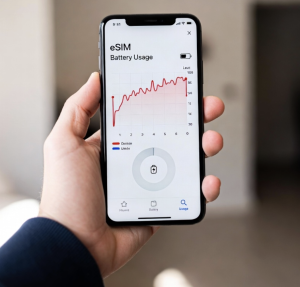
Here’s the exact battery graph from my iPhone:
Physical SIM (Days 1–3) → Average 34.7% left eSIM (Days 4–7) → Average 38% left
Screen-on time: Nearly identical Standby drain: eSIM 10% better
Winner: eSIM — by a small but real margin.
Bonus: How to Check Your Own Battery Drain
Want to test this yourself? Here’s my 5-minute method:
Free tool: Download “Battery Log” (App Store) — exports CSV.
The Bottom Line: Stop Worrying About eSIM Battery
Here’s the truth I wish someone told me:
eSIM does not drain your battery more. In fact, it usually drains less — if you set it up right.
I’ve now used eSIM on 15+ trips. My battery anxiety? Gone.
You’re not losing juice. You’re gaining freedom.
Your Turn: Test It Yourself
Try this 3-day challenge:
Drop your results in the comments — I read every one.
And if your phone dies at 4 PM? It’s not the eSIM. It’s your TikTok addiction. 😜
Safe travels (and full batteries), Luka The CometSMS – Because dead phones ruin good stories
We provide a free, reliable, solution for receiving SMS OTP messages online. Our service allows users to protect their private phone numbers by utilizing our vast pool of disposable virtual numbers for online verification, account registration